

Add Binderim to your site
Bring the power of Binderim, the Pokémon TCG collection platform, to your own website. With a single line of JavaScript, set details, card count, release date and the most expensive cards appear automatically on your product page.
CardSet widget
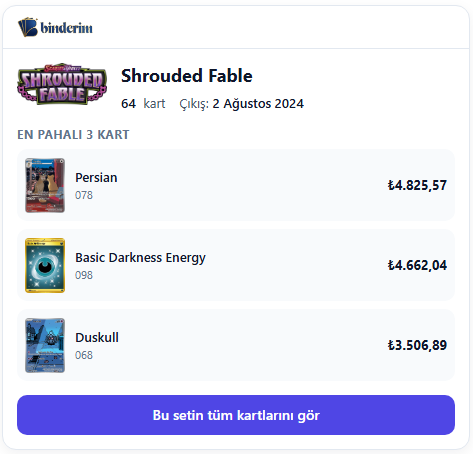
The Pokémon TCG set named in your page title is detected automatically. When there is a match, a neat box with the Binderim logo and the set details appears. When there is no match, nothing shows up on your page — clean and quiet.
- Set name, card count, release date
- Top 3 most expensive cards — normal variant prices, daily change percentage
- TRY currency — automatic conversion at the daily exchange rate
- Light / dark theme — adapts to your site's theme automatically
- Mobile friendly, responsive design
- Isolated with Shadow DOM — it never touches your site's CSS
How does it work?
Paste the snippet
Paste the single-line <script> tag into the HTML of the page where you want the widget to appear.
Automatic matching
When the script runs it reads the page title, recognises the set name inside it and renders the matching widget.
See the stats
How many views, how many clicks? All the reports live in your widget panel.
Example snippet
When you create a widget, a data-id unique to you is generated. Here is what the example snippet looks like:
<script src="https://binderim.com/dev/xxxxx.js" data-id="ABCDEFGHIJKL..." async></script>The script loads asynchronously and does not affect your site's performance. It only renders when a Binderim set is recognised in the page title.
Sign in to create a widget
You need to sign in with your Binderim account to create widgets and see their stats.
Sign in